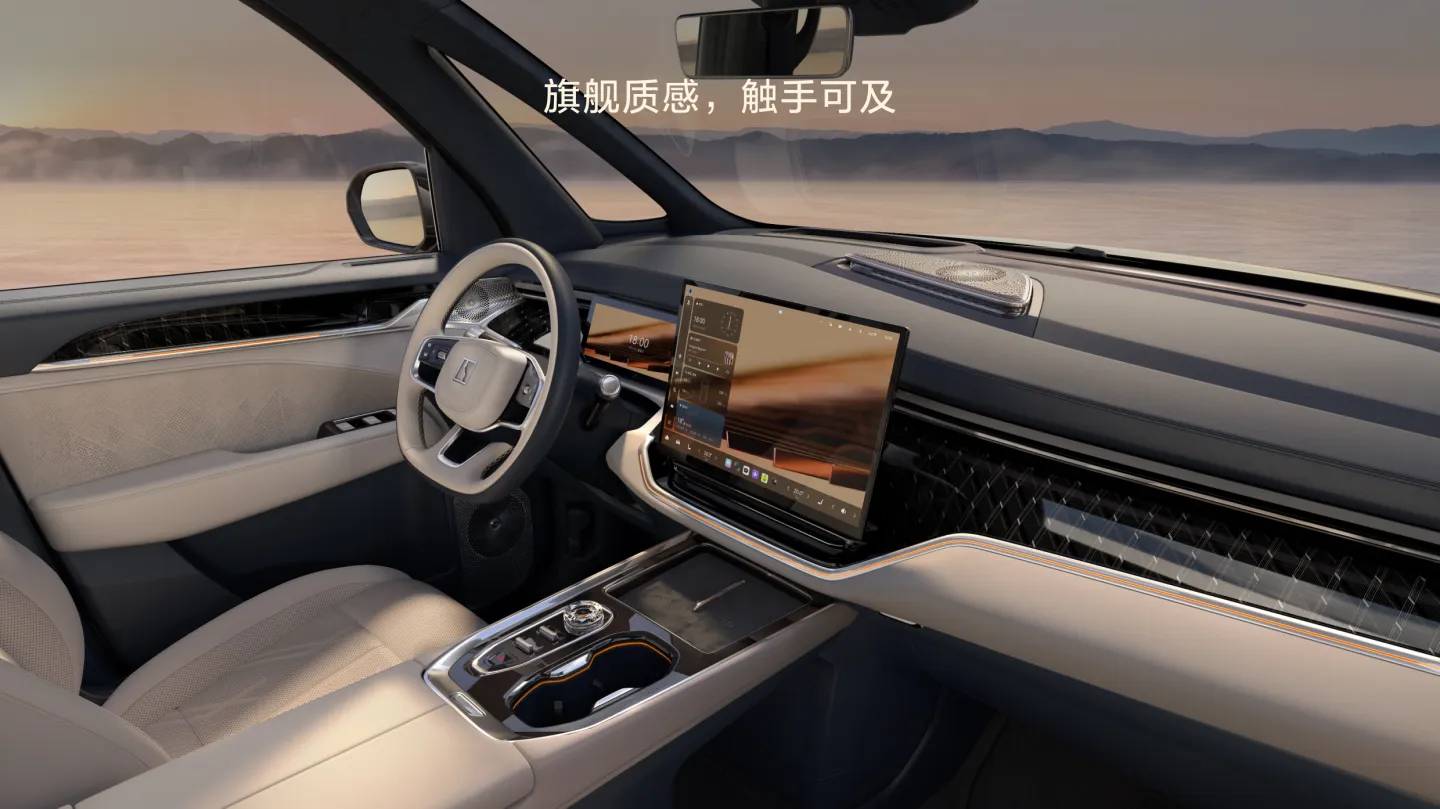
Manufacturer reference image. Controls and equipment vary by vehicle.
Sources checked:
Scope checked: 26 October 2026. China battery examples use the official configuration snapshots retrieved on 25 October 2026. Match the original market, model year, hardware and software before applying a procedure.
Find the manual for the actual vehicle
Search by original sales market, model year and version, not just “ZEEKR manual”. The official European manual selector, for example, distinguishes model, year and variant; its 2024 001 entry does not establish procedures for a later Chinese 001. Ask the supplier to provide the manual delivered with the car and the corresponding emergency information.
- Save an offline copy or the relevant pages before travelling without mobile coverage.
- Record the manual edition, vehicle software version and date of your own notes.
Build a parked control map
With the vehicle safely parked, locate essential functions using the correct manual: gear and parking indications, hazard lights, demisting, exterior lights, mirrors and wipers. Write a short personal checklist describing where each function actually appears. A menu seen in another owner’s video may differ because of software, hardware or market, so verify it on your car before relying on it.
- Find demisting and hazard controls before your first poor-weather journey.
- Identify the displayed units for speed, distance, temperature and tyre pressure.
Set up the driver position and visibility
Adjust the seat, steering wheel and mirrors while stationary and confirm that the driving position allows clear access to controls. Learn how your vehicle saves or recalls a profile before letting another driver use it. A recalled profile may change settings you had previously checked; review visibility and driver preferences again rather than assuming the car retained your adjustments.
- Pair a profile with its intended driver only after testing recall while parked.
- Keep an accessible physical or approved backup key during familiarisation.
Learn passenger controls separately
Do not treat 001, X, 009 and MIX as interchangeable cabins. Their seating arrangements and access systems differ. Demonstrate the actual door controls, child-safety functions and emergency exit instructions from the relevant manual to regular passengers. Do not experiment with powered doors, moving seats or tailgate functions while someone is in their path, and confirm that carried items do not obstruct movement.
- Check the appropriate child-restraint instructions for the actual seat and vehicle.
- Explain the documented manual exit method without inventing a shared hidden switch location.
Understand changes after an update
Official European 001 OS 1.2 notes document a charging-menu preconditioning control added in that historical release. This illustrates why a screenshot is not a universal menu map; it is not evidence of the latest software on every 001. After an update, review the relevant release notes and recheck the functions you use routinely while parked.
- Update your personal control notes when menu names or locations change.
- Use the separate OTA and language guides for update eligibility and localisation questions.
If a screen freezes or goes blank
Safely stop before interacting with a malfunctioning screen. Note which displays and physical controls still work and whether driving-critical warnings are present. A media problem and loss of essential vehicle information require different responses. Follow only the restart procedure confirmed for your exact vehicle; do not copy another model’s button combination, disconnect batteries or perform a factory reset as a first diagnostic step.
- Record the time, software version and last action; photograph the display when safe.
- If essential driving information or safety functions are unavailable, seek assistance before continuing.
Sources and version references
- ZEEKR Europe — 2024 001 manual selector
- ZEEKR Europe — 001 OS 1.2, historical release
- ZEEKR Europe — Connected Services
- ZEEKR China configuration MIX — snapshot: 25 October 2026
Continue reading
- ZEEKR OTA updates: check your market, software branch and readiness
- ZEEKR language settings: English, Russian and localisation checks
- ZEEKR warning messages and faults: triage before troubleshooting